Spin King app and mobile browser
 Available in GB
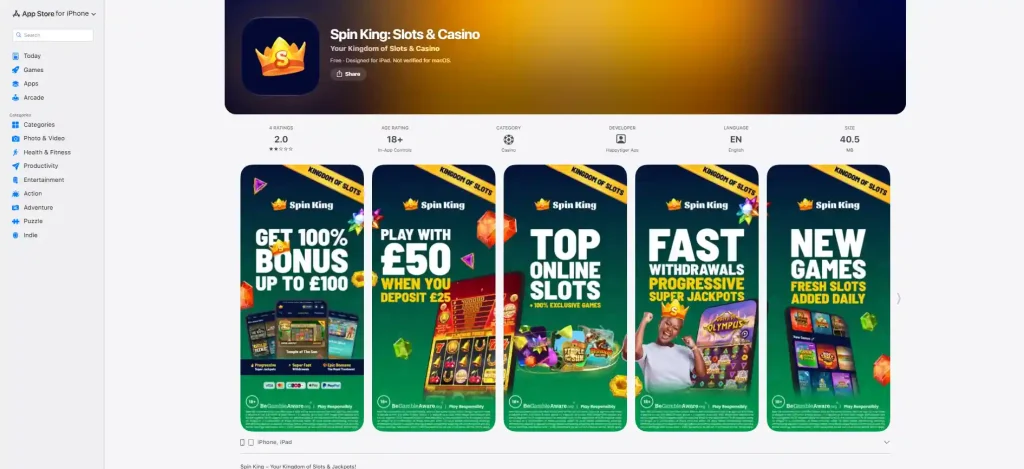
Spin King is available through a mobile browser and an app for iPhone and iPad. The App Store gives the product name and developer. The browser shows the site address. Either route takes you to the Spin King account, where identity checks and account limits apply.
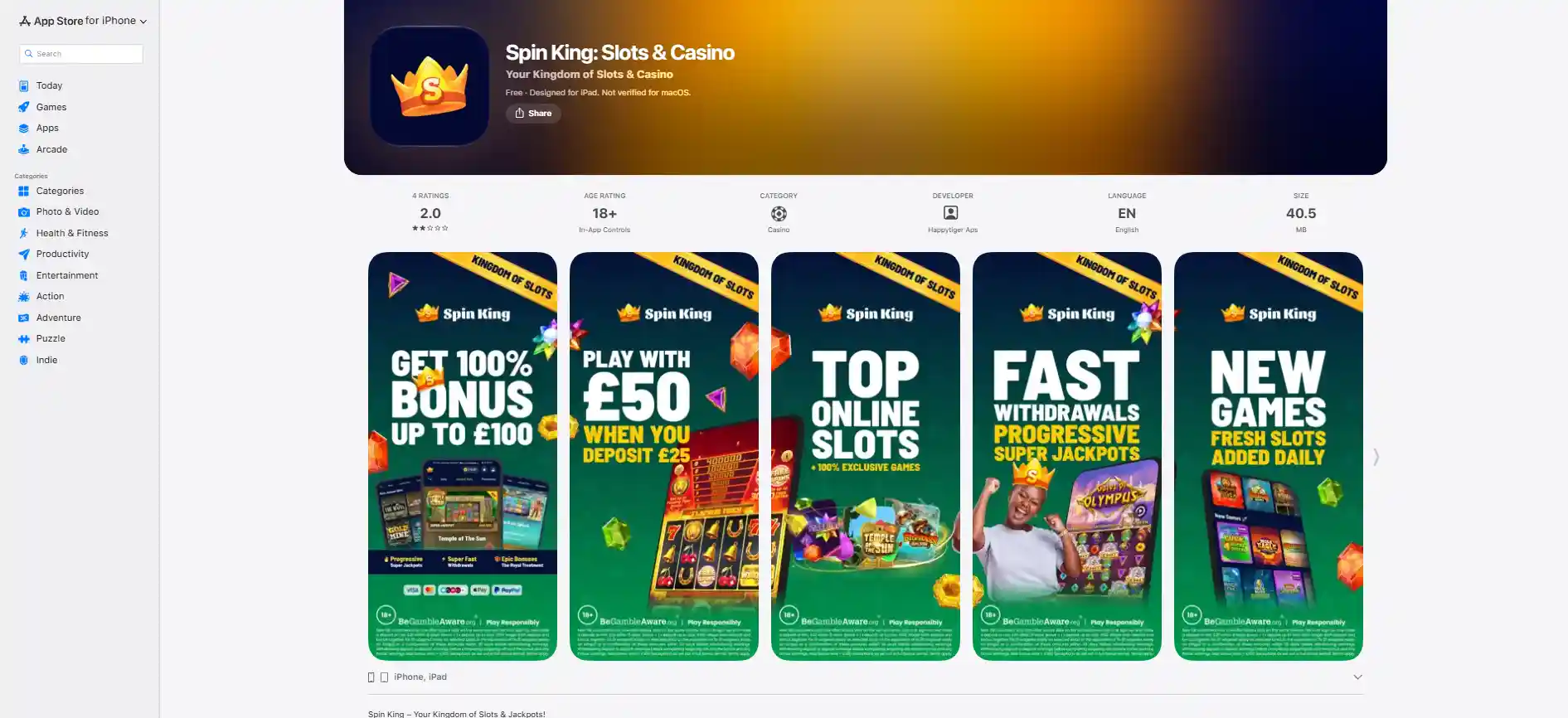
Table of Contents
Account tasks on a phone or tablet
The phone or tablet is the way into the account. Age and identity checks, deposits and the personal limits you set are tied to the account itself. You can return through a different device and still be working with the same customer record. A new device can change the sign-in experience or how much information fits on screen at once.
Daily, weekly and monthly deposit or loss limits apply over their chosen periods. A limit reduction applies when made. An increase has a 24-hour cooling-off period and must be reconfirmed. If you have requested a change on one device and are checking it on another, look at the setting in force and whether the change is still waiting for confirmation.
A payment question calls for a different check. Look for the transaction amount, method and status together so you can tell exactly which entry you are reading. If the payment has settled outside the casino, its record may be in a bank or wallet app. Switching between apps is a way to compare records from the same transaction. The timestamp and reference help when the two screens use different status labels.
A payment can also open a separate screen for the bank or payment provider to check the instruction. Completing that step and seeing a credit in the gambling account are separate events. Returning to the account after the hand-off lets you check how the instruction was recorded. If the provider shows a pending entry, keep that status in view when comparing the two records.
On a small display, some details of a game can sit below the controls that place a stake. The name of the title and the amount committed to the round help identify what the screen is showing. Live games can have a shared entry window, and bingo follows a draw. For how those formats differ, see the slots, bingo and live game catalogue.
- Verification. Read the exact document request before preparing a file. An address check and an identity check can call for different information.
- Limits. Check what the amount measures, which period it covers and whether a change is already in effect.
- Payments. Match the amount and reference in the account with the entry at the payment provider.
If you need to leave the device midway through a task, the last screen you saw can be a poor record of the outcome. Return to the account and check the current entry before repeating an action. The guide to identity checks and spending controls explains which steps are tied to the customer and which controls apply to access or spending.
Using a phone camera for a requested document makes legibility part of the task. Check the image at full size before submitting it. Glare can hide the text on a card and a tight crop can cut off the address on a bill. Use the format and upload route given in the request so the evidence goes to the right place.
Identifying the iPhone and iPad app
The App Store lists the app as Spin King: Slots & Casino for iPhone and iPad. The developer is Happytiger ApS, the company that operates Spin King. The full product name and the developer entry together identify the app. The icon is a quick visual cue when an app is already installed, while the developer entry tells you which company published it.
- Match the product name. The title includes both Spin King and Slots & Casino.
- Check the developer entry. Happytiger ApS is the company behind the listing.
- Read the device information. The listing identifies the app for iPhone and iPad and gives compatibility details for the device you are using.
The app and a browser tab live in different places on the device. An app opens from its icon. A browser link opens a web address. Browser shortcuts can also have an icon on the home screen, so an icon alone can leave the route ambiguous. A store listing identifies the installed product. A browser address identifies the website loaded in a tab.
App compatibility is a question about the operating system and device. Account access is a question about the customer record and sign-in. If an App Store page raises a compatibility issue, read the device requirements there. If the app opens and the problem arises after sign-in, the step where it occurs gives a better starting point for an account enquiry.
If a software update is involved, distinguish the device’s operating system, the installed app version and the website opened in the browser. Each can change independently. For a report about the app, the device and app version can help identify the conditions in which the issue happened. For a report about the browser, the browser name and the page you reached are more relevant.
The store listing provides a reference if you need to describe an app issue to support. Give the device type and a short description of what happens. Include whether the issue occurs before sign-in or after you reach the account. For an account issue, the relevant message or reference is usually more useful than images containing balances, personal details or documents.
Spin King’s FAQ also links to Google Play. Spin King also works in a mobile browser. For questions about either route, Spin King offers a FAQ, live chat, email at [email protected] and phone on 0800 102 6145. Describe the route used so support can locate the right step.
A store search can return apps with similar words in their titles. The whole product name and the publisher together make a stronger match than a partial name. If you are comparing what is installed on an iPhone and an iPad, check the store details for each device. The publisher is the stable identifier, even when store layouts display the name in different places.
The browser address identifies the website
Spin King supports mobile browser access at spinking.co.uk. A browser shows the address for the page that is open. A result in search or a link in an email can show the brand name before a page is loaded. The address bar gives you the exact site name to check before you enter account details.
| Route | Where it opens | What identifies it |
|---|---|---|
| iPhone or iPad app | Installed app | Spin King: Slots & Casino, developed by Happytiger ApS |
| Mobile browser | Browser tab | spinking.co.uk in the address bar |
A browser tab can remain open after you put the phone down. When you return, the content you can see may belong to the earlier session, while the current connection or sign-in state has changed. If a page asks you to sign in again, use the existing account details. When checking a previous payment or setting change, use the current account record as the reference.
A web address is especially helpful when dealing with a familiar-looking page opened from a message. Tab titles, shortcuts and search results can use a shortened name. Read the address itself before sharing information. If the message concerns a specific account check, the operator’s account or support channel can help you match the request to the correct record.
Links from other apps can open in a compact browser view with less space for the address. The displayed link title can be shorter than the address it opens. For a task that needs a sign-in or a document, open the browser view where the address is visible and check the domain before entering anything.
On a shared device, access and storage are separate questions. Closing a view hides the screen. Signing out ends the session you are using, and the browser can still retain a history entry or saved sign-in details according to its settings. Check what the device has saved if another person uses it. Account controls continue to apply on the customer record.
For a payment or verification task, a tab and an app can each have a loading screen or an interrupted connection. Confirm whether the last action completed before sending the same instruction again. A fresh status and reference often make it possible to distinguish an action that has been recorded from one that still needs attention. That distinction matters more than whether you reached the account through its icon or a typed address.
Questions about the Spin King app and browser
Who publishes the Spin King iPhone and iPad app?
Happytiger ApS publishes Spin King: Slots & Casino for iPhone and iPad.
Can I use Spin King in a mobile browser?
Yes. Spin King supports mobile browser access at spinking.co.uk.
Choosing between the app and the browser
The app has a product listing and developer name. The browser gives you an address you can read directly. Use those identifiers for the route you are using, then check the account record for payments, verification and limits. If a task is interrupted on mobile, the current status of the task gives you a better reference than the last screen you saw.